Guida alla configurazione di CoinPoker
Panoramica
CoinPoker non scrive hand history in tempo reale, quindi non supporta un HUD live. Puoi comunque scaricare le tue hand history dopo la mano e importarle in PokerTracker 4 per il review e l’analisi post-sessione.
Download manuale delle hand history
Richiedi le tue hand history a CoinPoker tramite PokerIntel. Per aprirlo, fai clic sulla freccia in alto a destra nella lobby di CoinPoker, accanto all’icona del wallet, quindi seleziona PokerIntel.
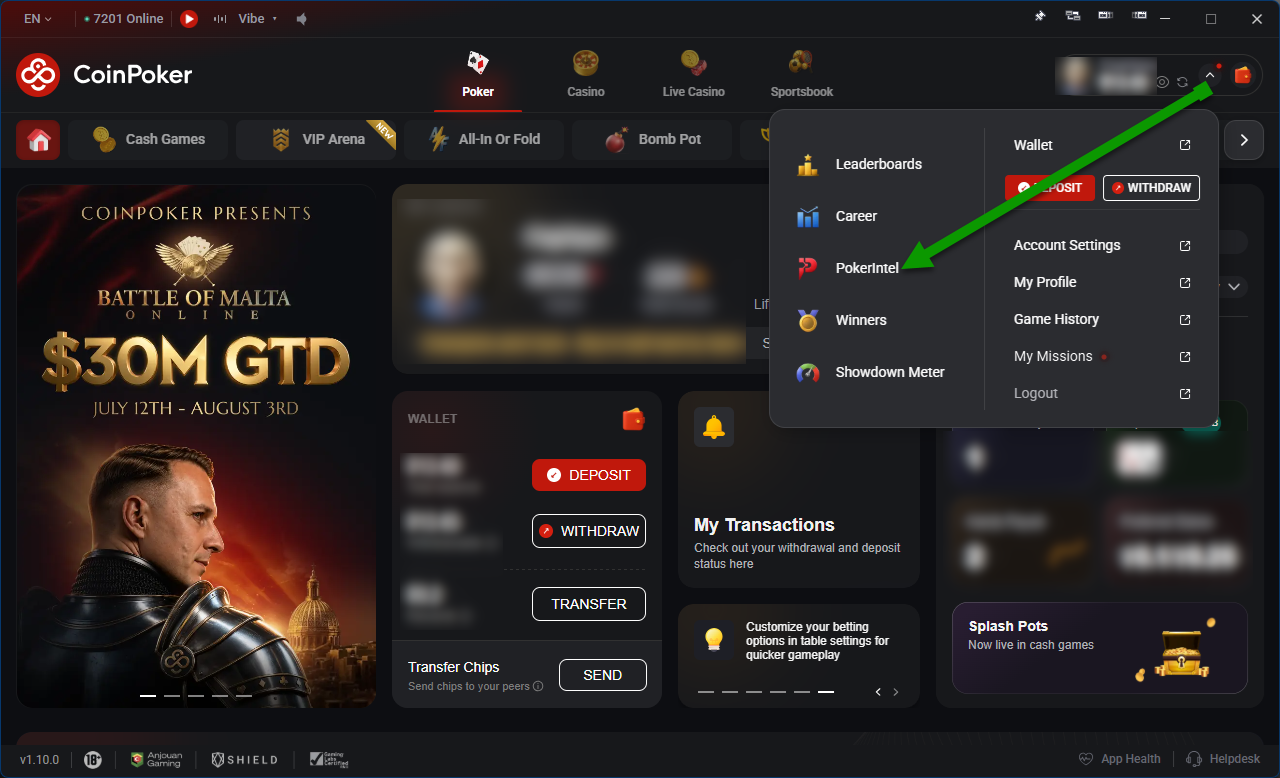
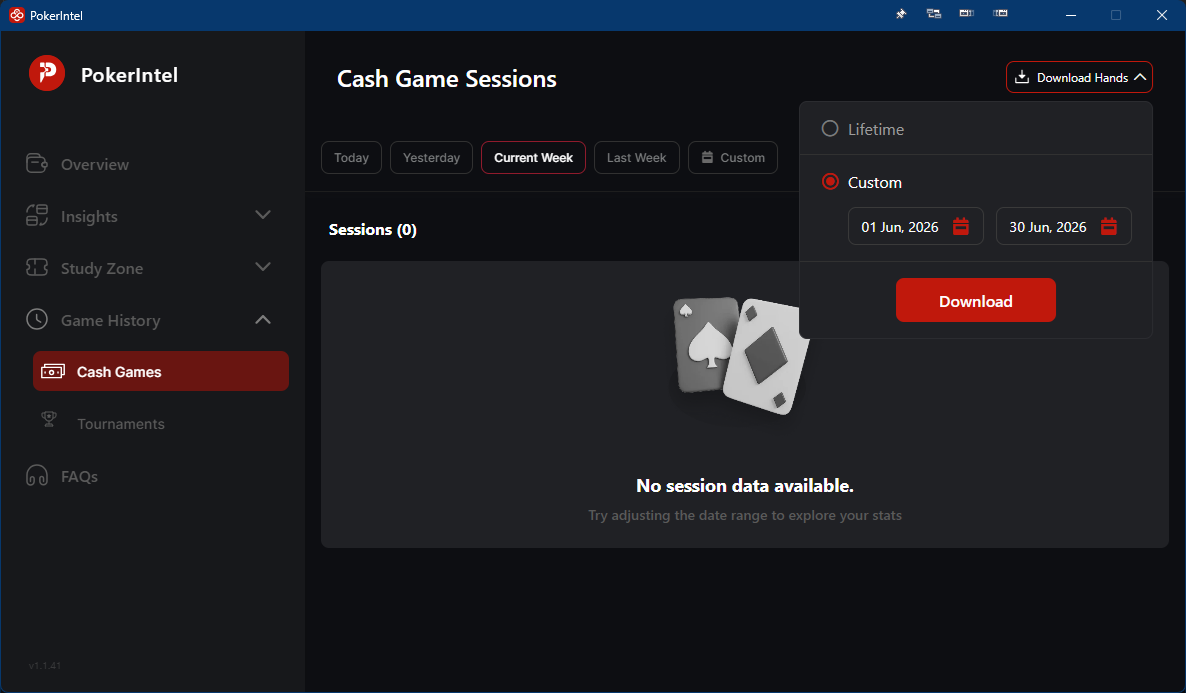
In PokerIntel:
- Seleziona Game History, quindi scegli Cash Games o Tournaments.
- Fai clic su Download Hands in alto a destra.
- Seleziona Lifetime per scaricare tutte le mani oppure Custom per scegliere un intervallo di date.
- Fai clic su Download.
Dopo pochi minuti, CoinPoker invia un link di download all’indirizzo email registrato. Salva il file sul computer in modo che PokerTracker 4 possa importarlo.
CoinPoker non dispone di file separati di riepilogo dei tornei (che registrano buy-in e posizioni finali), quindi per i tornei non c’è nulla di aggiuntivo da scaricare.
Importazione delle hand history scaricate
Con i file delle hand history salvati, apri la scheda Play Poker in PokerTracker 4 e fai clic su Get Hands From Disk. Hai quindi due opzioni:
- Select Files — scegli e importa file singoli.
- Select Directory — importa tutti i file in una cartella e nelle relative sottocartelle.