How to Uninstall/Reinstall PostgreSQL (Mac)
Overview
This guide covers the rare cases on macOS where you need to completely reinstall the PostgreSQL Server, as advised by PokerTracker technical support. Following these instructions will delete all databases on your computer — back up your databases before performing a total reinstall.
These steps require typing commands in the macOS Terminal, usually found in /Applications/Utilities.
Determining the PostgreSQL Version Already Installed
To verify which version of PostgreSQL is installed, type the following at the Terminal command prompt:
ls /Library/PostgreSQL/
The Terminal will list every directory inside /Library/PostgreSQL; each installed version lives in its own directory.
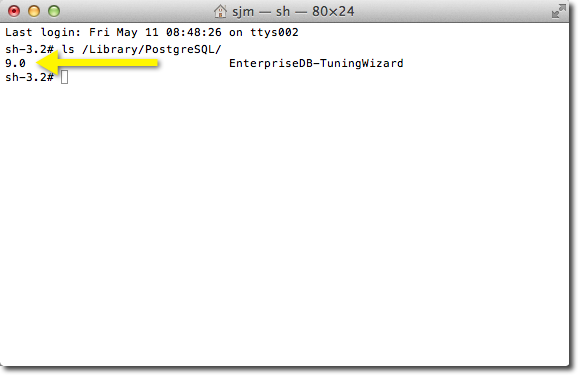
The examples in this guide assume PostgreSQL 12 is installed. If you have a different version, substitute the version number accordingly — for example, replace /Library/PostgreSQL/12/ with /Library/PostgreSQL/16/.
Uninstalling PostgreSQL
You may need to enter your password after any command that starts with sudo to comply with macOS security procedures.
1) Run the uninstaller by double-clicking /Library/PostgreSQL/12/uninstall-postgresql.app. (To run it from Terminal instead: sudo /Library/PostgreSQL/12/uninstall-postgresql.app/Contents/MacOS/installbuilder.sh.)
2) Stop and unload the PostgreSQL launchd service:
sudo launchctl unload -w /Library/LaunchDaemons/com.edb.launchd.postgresql-12.plist
3) Remove the launchd plist:
sudo rm /Library/LaunchDaemons/com.edb.launchd.postgresql-12.plist
4) Remove menu shortcuts:
sudo rm -Rf "/Applications/PostgreSQL 12"
5) Remove the ini file:
sudo rm /etc/postgres-reg.ini
6) Remove the data and installed files (all databases will be lost at this point):
sudo rm -Rf /Library/PostgreSQL/12
7) Delete the postgres user:
sudo dscl . delete /users/postgres
8) Reboot your computer.
9) Reinstall PokerTracker 4 and PostgreSQL using the PokerTracker 4 installer, or manually install the latest version of PostgreSQL from postgresql.org.
If you have any issues, please contact PokerTracker support for assistance.