CoinPoker Configuration Guide
Overview
CoinPoker does not write real-time hand histories, so it doesn't support a live HUD. You can, however, download your hand histories after the hand and import them into PokerTracker 4 for post-game review and analysis.
Manual hand history download
Request your hand histories from CoinPoker through PokerIntel. To open it, click the arrow at the top right of the CoinPoker lobby, next to the wallet icon, then select PokerIntel.
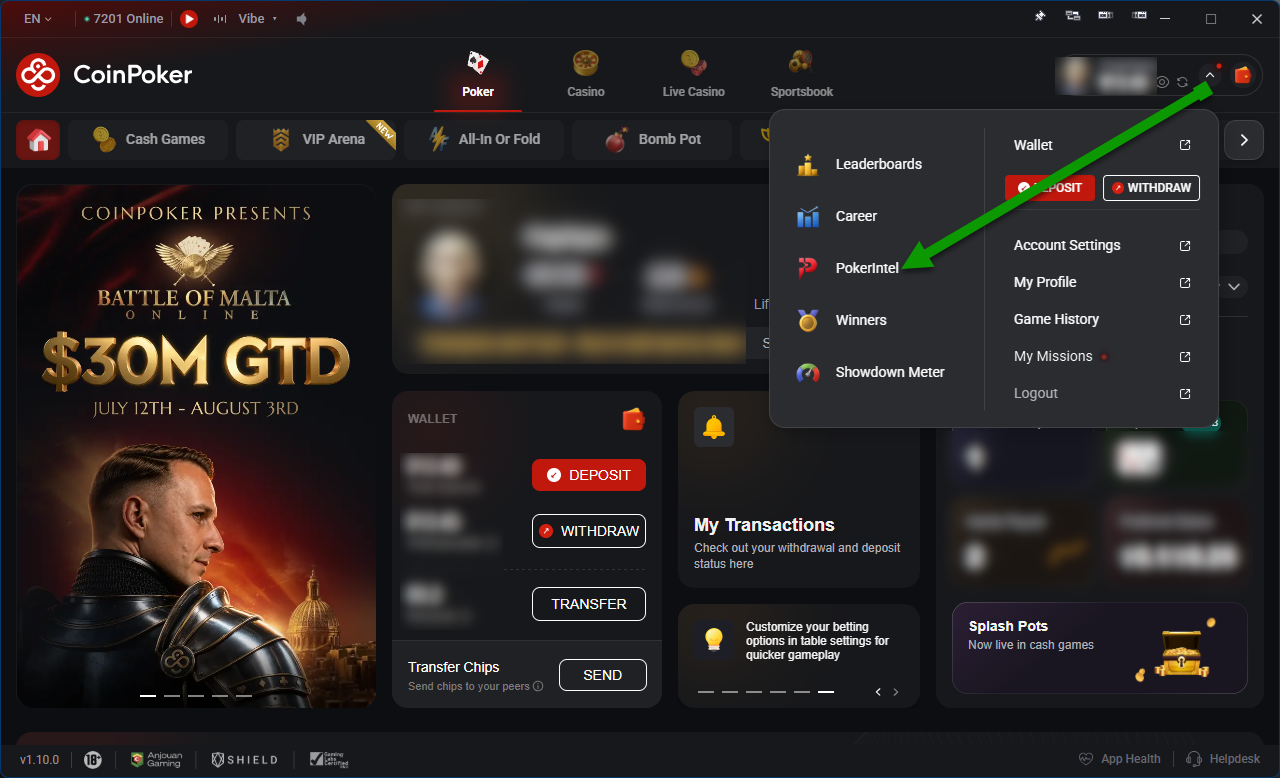
In PokerIntel:
- Select Game History, then choose Cash Games or Tournaments.
- Click Download Hands at the top right.
- Select Lifetime to download every hand, or Custom to choose a date range.
- Click Download.
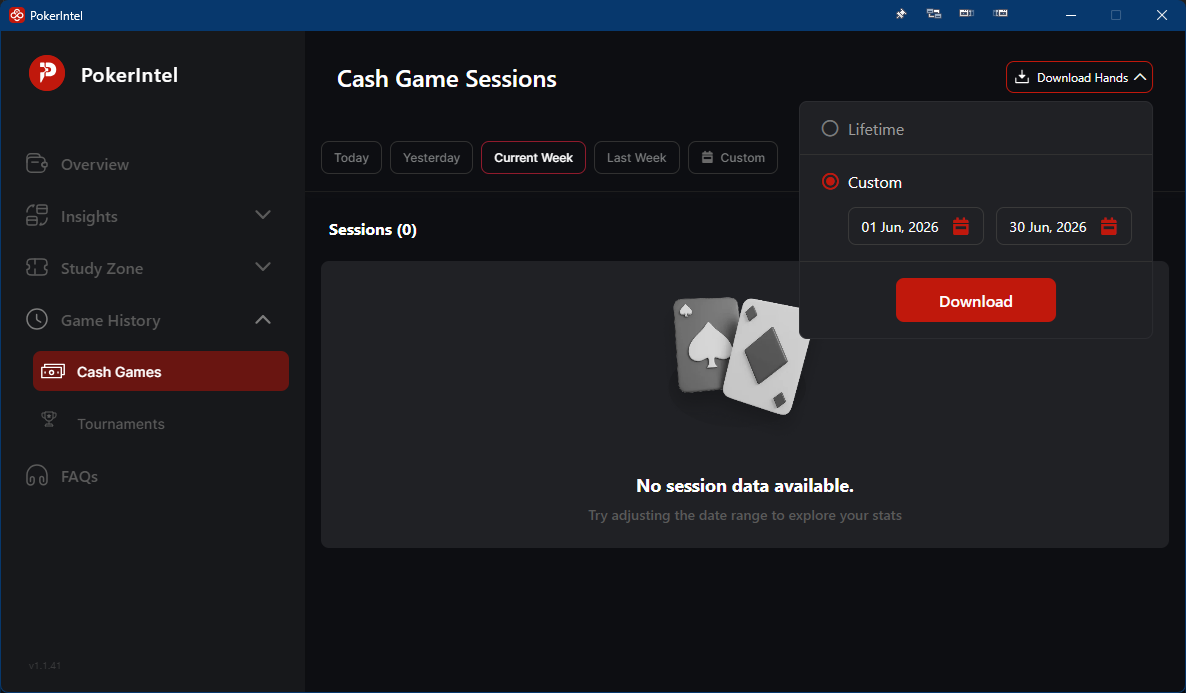
After a few minutes, CoinPoker emails a download link to your registered email address. Save the file to your computer so that PokerTracker 4 can import it.
CoinPoker does not have separate tournament summary files (which record tournament buy-ins and finishing positions), so there's nothing extra to download for tournaments.
Importing downloaded hand histories
With your hand history files saved, open the Play Poker tab in PokerTracker 4 and click Get Hands From Disk. You then have two options:
- Select Files — choose and import individual files.
- Select Directory — import every file in a folder and its subfolders.