Purging Sessions & Tournaments
Overview
PokerTracker 4 allows you to delete, or "purge", sessions from your database. This process is beneficial for players looking to delete old and/or unnecessary data. It should be noted that purging is an irreversible process. Anything purged from your database cannot be recovered, so we strongly advise that you make a backup of your database before starting. Read our tutorial on backing up and restoring your PokerTracker 4 database for more information.
You cannot delete individual hands or players because each hand involves multiple players and affects the session totals. The smallest 'unit' you can purge is a session.
Purging
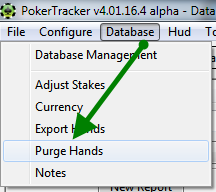
To begin purging, click Database from the main menu and then Purge Hands.
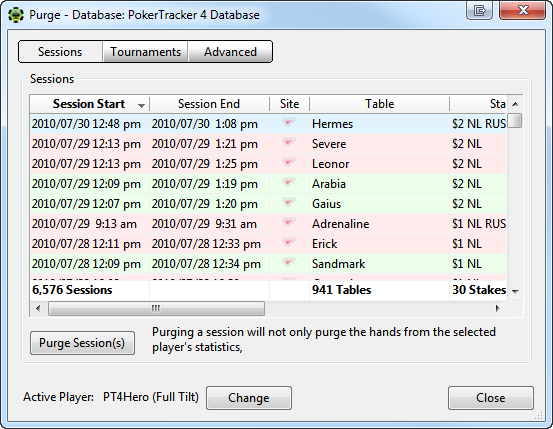
This will bring up the Purge window which allows you to select the session(s) you wish to purge. If necessary, you can change the Active Player along the bottom. Then select either the Sessions, Tournaments, or Advanced tab.
Sessions
The Sessions tab allows you to purge cash game sessions. You can purge either a single session or multiple sessions. To select multiple sessions you can use either control/click or shift/click. Once you've made all your selections, push Purge Session(s), confirm it, and then let PokerTracker 4 finish. For larger databases this process can be lengthy, but please allow PT4 to fully finish for optimal results.
Tournaments
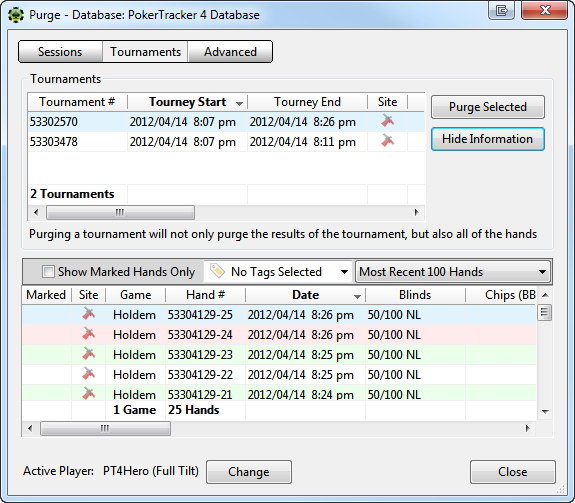
The Tournaments tab allows you to purge all types of tournaments. You can purge either a single tournament or multiple, and can use control/click or shift/click to make your selections. You may also show extra information about the highlighted tournament (or toggle it off). Once you've made all your selections, push Purge Selected, confirm it, and then let PokerTracker 4 finish. For larger databases this process can be lengthy, but please allow PT4 to fully finish for optimal results.
Advanced
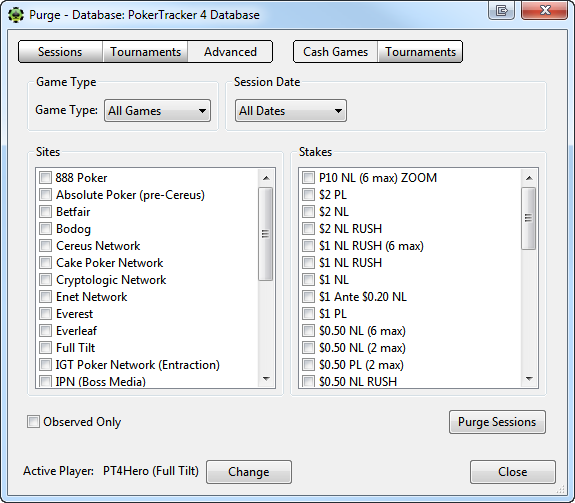
The Advanced tab allows you to purge hand histories based upon a wide variety of criterion. First select Cash Games or Tournaments from the upper right corner. From there you can select the site(s), stake(s), date(s), and game(s) sessions that you wish to purge. If you wish to only delete the observed hands from your selections, just tick Observed Only in the bottom left corner. Once you've made all your selections, push Purge Sessions, confirm it, and then let PokerTracker 4 finish. For larger databases this process can be lengthy, but please allow PT4 to fully finish for optimal results.