CoinPoker 配置指南
概述
CoinPoker 不会写入实时手牌历史,因此不支持实时 HUD。不过,你可以在手牌结束后下载手牌历史,并将其导入 PokerTracker 4 进行赛后复盘和分析。
手牌历史手动下载
通过 PokerIntel 向 CoinPoker 请求你的手牌历史。要打开它,请点击 CoinPoker 大厅右上角、钱包图标旁边的箭头,然后选择 PokerIntel。
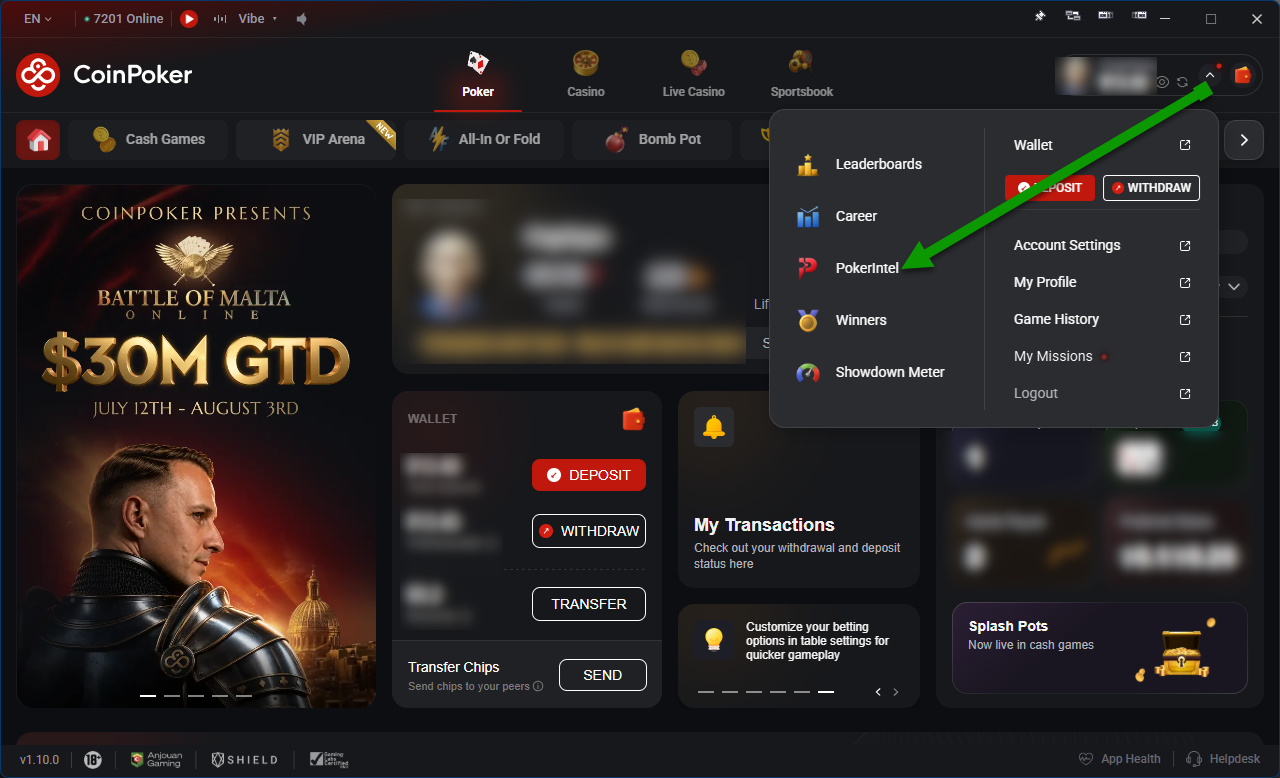
在 PokerIntel 中:
- 选择 Game History,然后选择 Cash Games 或 Tournaments。
- 点击右上角的 Download Hands。
- 选择 Lifetime 可下载全部手牌,或选择 Custom 自定义日期范围。
- 点击 Download。
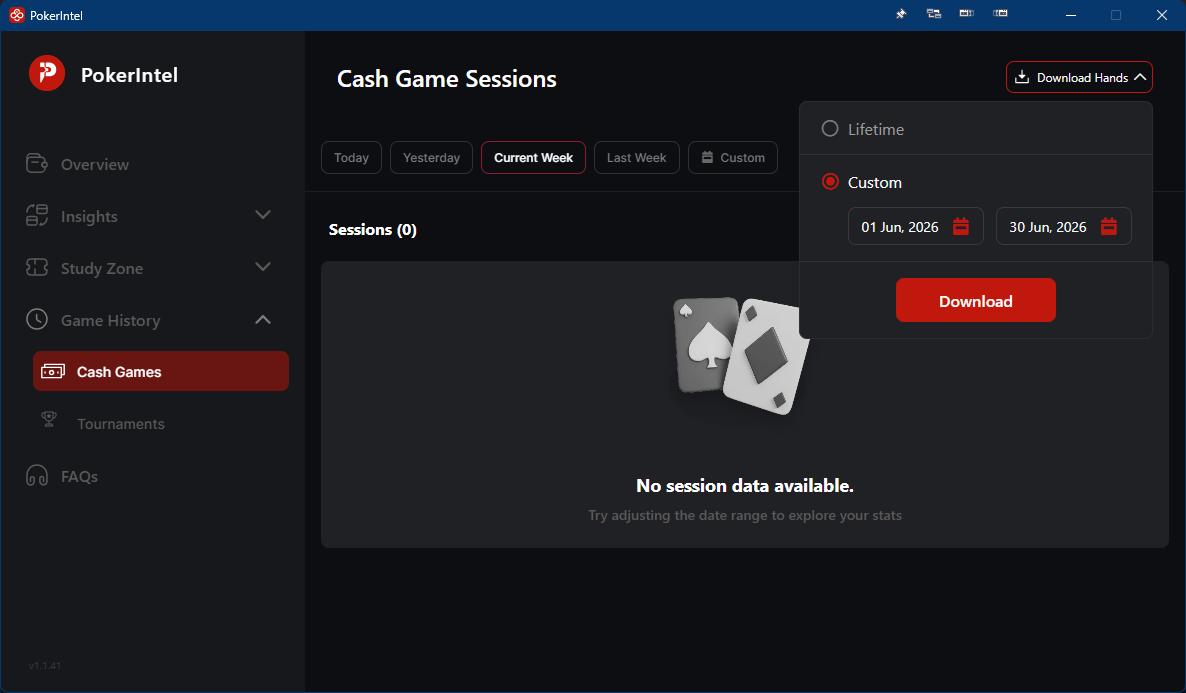
几分钟后,CoinPoker 会向你注册的电子邮箱发送下载链接。将文件保存到你的电脑上,以便 PokerTracker 4 可以导入。
备注
CoinPoker 没有单独的锦标赛汇总文件(其中会记录锦标赛买入和名次),因此锦标赛无需额外下载任何内容。
导入已下载的手牌历史
保存好手牌历史文件后,在 PokerTracker 4 中打开 Play Poker 选项卡,然后点击 Get Hands From Disk。接下来你有两个选项:
- Select Files — 选择并导入单个文件。
- Select Directory — 导入某个文件夹及其子文件夹中的所有文件。